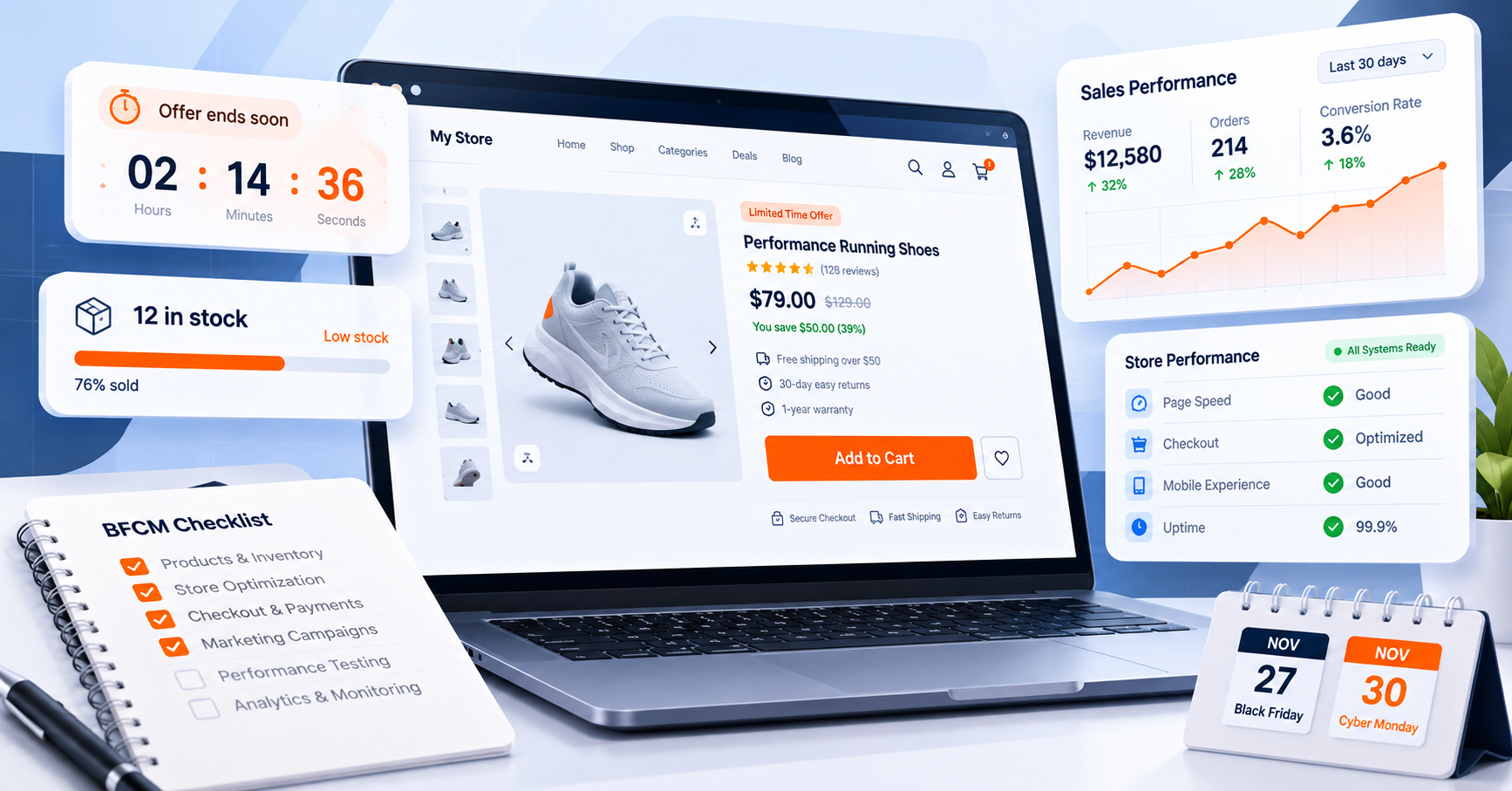

When should a WooCommerce store start preparing for Black Friday 2026? Start 8–10 weeks out, beginning in September. This WooCommerce Black Friday preparation window gives your team time to plan the offer, optimize product and category pages, strengthen SEO, test performance and checkout, configure analytics, and prepare your Cyber Monday campaign.
For 2026, Black Friday falls on November 27, followed by Cyber Monday on November 30. Starting in September creates room to complete the work in stages instead of making critical changes during Black Friday week.
BFCM at a glance
WooCommerce Black Friday 2026: Quick Answer
Black Friday is November 27, 2026. Cyber Monday follows on November 30. Build the campaign around both dates rather than treating Monday as an afterthought.
The highest-leverage work happens before the promotion goes live. Use the early weeks for strategy, SEO, performance, checkout, analytics, and testing — not emergency fixes.
Start your WooCommerce Black Friday preparation 8–10 weeks before Black Friday, which means beginning in September 2026. Use the early weeks for strategy, SEO, product pages, analytics, and technical preparation, then move into testing, campaign execution, and final QA as the event approaches.
| Period | Primary Focus |
|---|---|
| 8–10 weeks | Define your offers, products, inventory, goals, campaign strategy, and overall BFCM plan. |
| 6–8 weeks | Prepare landing pages, product/category pages, SEO, site navigation, and conversion elements. |
| 4–6 weeks | Optimize product pages, mobile UX, checkout, site performance, search/filtering, and conversion paths. |
| 3–4 weeks | Test checkout, payments, shipping, coupons, analytics, tracking, and site performance. |
| 2–3 weeks | Finalize campaigns, email sequences, paid advertising, creative assets, promotional messaging, and reporting. |
| 1–2 weeks | Complete final QA, verify inventory and pricing, schedule campaigns, and prepare monitoring and support procedures. |
| BFCM weekend | Monitor traffic, conversions, inventory, checkout, payments, site performance, campaigns, and customer support. |
| After BFCM | Review performance, recover abandoned carts where appropriate, analyze results, document lessons, and plan follow-up campaigns. |
This guide is built as an operational playbook. It walks through what to prepare at each stage, what to monitor during the event, and what to review after Cyber Monday so the work can inform future campaigns.
WooCommerce Black Friday Checklist
Work through the checklist from top to bottom, then return to it during final QA. The goal is not more features — it is a reliable customer journey.
Use this WooCommerce Black Friday checklist as a fast overview. It covers the core work required for Black Friday and Cyber Monday, with each item expanded later in the guide.
Strategy
- ☐ Define your core BFCM offer
- ☐ Select which products/categories to feature
- ☐ Calculate margins at your planned discount levels
- ☐ Set inventory targets with suppliers
- ☐ Lock in promotional start and end dates
Website
- ☐ Build a dedicated BFCM landing page
- ☐ Optimize featured product pages
- ☐ Test the full mobile experience
- ☐ Test checkout end-to-end
- ☐ Test all coupon codes
- ☐ Compress and optimize images
- ☐ Check Core Web Vitals on key pages
Marketing
- ☐ Schedule email campaigns (teaser → launch → reminder → last chance)
- ☐ Prepare organic social content
- ☐ Build an early-access or VIP campaign
- ☐ Set up abandoned-cart email sequences
- ☐ Configure remarketing audiences
Analytics
- ☐ Verify GA4 is installed and firing correctly
- ☐ Confirm ecommerce events (view_item, add_to_cart, purchase, etc.)
- ☐ Check Search Console for crawl errors
- ☐ Confirm conversion tracking for any ad platforms in use
- ☐ Record baseline KPIs from a normal week for comparison
Technical
- ☐ Take a full site backup
- ☐ Update WordPress, WooCommerce, and plugins in staging first
- ☐ Test plugin/theme compatibility after updates
- ☐ Confirm hosting can handle expected traffic
- ☐ Test caching and CDN configuration
- ☐ Set up uptime monitoring
During BFCM
- ☐ Monitor live traffic and conversion rate
- ☐ Watch inventory levels on featured products
- ☐ Watch for checkout or payment errors
- ☐ Monitor site speed under load
- ☐ Have a response plan ready for stockouts or errors
After BFCM
- ☐ Run abandoned-cart recovery campaigns
- ☐ Send thank-you and review-request emails
- ☐ Retarget site visitors who didn’t purchase
- ☐ Compare results against your baseline KPIs
- ☐ Document what worked for next year
WooCommerce Black Friday SEO Checklist for 2026
Build the useful resource early, keep important pages crawlable, use descriptive internal links, and avoid creating thin or duplicate promotional pages.
SEO preparation should begin well before Black Friday week. The goal is to build a useful, crawlable BFCM resource that can earn internal links and remain useful over time rather than creating a collection of short-lived promotional pages.
BFCM Landing Page
- ☐ Create your main Black Friday/Cyber Monday landing page early rather than publishing it for the first time during BFCM week.
- ☐ Use a stable, evergreen URL that can be reused for future campaigns where appropriate.
- ☐ Give the page a clear purpose: explain the promotion, featured products, important dates, terms, and how customers can shop.
- ☐ Link to the BFCM page from relevant category, product, and educational content as the campaign approaches.
Titles, Meta Descriptions, and Internal Links
- ☐ Write a descriptive SEO title that clearly communicates the page’s purpose.
- ☐ Write a useful meta description that accurately describes what visitors will find.
- ☐ Use relevant BFCM terminology naturally rather than repeating keywords unnecessarily.
- ☐ Link from relevant existing articles to the BFCM resource using descriptive anchor text.
- ☐ Link from the BFCM page to important product and category pages where those links help shoppers.
Crawlability and Indexing
- ☐ Keep important product and category pages accessible to search-engine crawlers.
- ☐ Check that important BFCM content is not accidentally blocked by robots.txt, noindex settings, or other technical configurations.
- ☐ Confirm important URLs appear in your XML sitemap where appropriate.
- ☐ Monitor Google Search Console for indexing and crawl issues before and during the campaign.
Avoid Thin or Duplicate Sale Pages
- ☐ Avoid creating dozens of nearly identical promotional pages that provide little additional value.
- ☐ Don’t create a new annual BFCM URL simply by changing the year when the underlying resource is intended to remain evergreen.
- ☐ Give each indexable page a distinct purpose and useful information.
- ☐ Consolidate overlapping promotional content when multiple pages target the same search intent.
Images and Post-BFCM Maintenance
- ☐ Use descriptive alt text for important images without stuffing keywords.
- ☐ Keep product names, prices, availability, descriptions, and promotional information accurate.
- ☐ If you will reuse the BFCM page next year, update dates, offers, products, and time-sensitive messaging instead of leaving expired information visible.
- ☐ If the page remains useful as an evergreen resource, preserve its useful content and update only the time-sensitive sections.
WooCommerce Black Friday & Cyber Monday Preparation Timeline
8–10 Weeks Before: Strategy and Product Planning
When should you start preparing your WooCommerce store for Black Friday? Most WooCommerce and ecommerce platform guidance recommends starting strategic planning 8–10 weeks ahead of Black Friday — for 2026, that means the second half of September. This gives you time to plan inventory with suppliers, test your site without pressure, and build campaigns instead of scrambling to launch them.
Start by reviewing last year’s BFCM performance if you have it: which products sold best, which converted poorly despite traffic, where cart abandonment spiked, and what your actual margin was after discounts and ad spend. If this is your first BFCM, use your best-selling products year-round as your starting shortlist.
Then set concrete goals: a revenue target, a conversion-rate target, and an inventory plan for your featured products. Confirm supplier lead times now — stockouts mid-campaign are a strategy failure, not bad luck, when they were predictable.
It’s also worth reviewing the common ecommerce mistakes beginners tend to repeat every BFCM — many of them are avoidable with a few weeks of lead time, which is exactly what this stage is for.
Don’t default to a flat percentage-off discount. Straight discounts compress margin fastest and are the easiest for shoppers to comparison-shop against competitors. Consider alternatives, often in combination:
- Product bundles (higher AOV, easier margin control than blanket discounts)
- Free shipping thresholds
- Buy-more-save-more tiers
- Gift-with-purchase offers
- Early-access windows for email subscribers or loyalty members
- Limited-time-only offers on a smaller, curated product set rather than storewide
A smaller, well-merchandised BFCM offer can give you more control over margin than a storewide discount, particularly when some products do not need a discount to sell. These alternatives also support building trust without relying only on discounts, which matters for repeat purchases well beyond the BFCM window itself.
6–8 Weeks Before: Website and Store Preparation
With your offer defined, turn to the site itself. The goal in this stage is reducing the number of steps and decisions between a visitor landing on your site and reaching checkout.
Build a dedicated BFCM landing page that consolidates your featured deals, rather than making shoppers hunt through your normal category structure. Update category pages and navigation so BFCM products are easy to find within one or two clicks from the homepage. Review internal linking so your best-selling and BFCM-featured products are reachable from multiple entry points, not just the landing page.
This is also the right time to review product discovery tools — search, filtering, and quick-browse functionality — since BFCM traffic includes a higher share of new visitors who don’t know your catalog and will leave quickly if they can’t find what they’re looking for. If your store doesn’t currently have fast product filtering or an on-page quick-view option, this stage is when to add it, not the week of the sale. This is also a reasonable time to look at optimizing your store for AI-powered search, since a growing share of product discovery now starts in an AI assistant or chat-based search rather than a traditional search engine.
Mobile experience deserves specific attention here, not just a glance. Mobile shoppers can experience more friction when product pages or checkout flows are difficult to use on smaller screens. Walk through the entire mobile journey yourself: homepage → category → product → cart → checkout, on an actual phone, not just a resized browser window.
4–6 Weeks Before: Conversion Optimization
How can I improve WooCommerce conversion rates during BFCM? Focus on removing hesitation at the product and cart level: clear calls to action, visible social proof, transparent shipping and returns information, and honest urgency — rather than adding more discounting.
Specific elements worth auditing on every featured product page:
- Calls to action that are visually distinct and state the next step clearly (a generic “Submit” button converts worse than “Add to Cart” or “Claim This Deal”) — see how to create CTA buttons for ecommerce for specifics
- Social proof — customer reviews and ratings visible above the fold on product pages, not buried in a tab. A dedicated product review block makes this easier to surface consistently across your catalog
- Trust signals — secure-checkout badges, clear returns/refund policy links, and realistic shipping timelines stated up front
- Stock and urgency information, when it’s accurate. If a product genuinely has limited stock, showing that clearly (for example, a stock progress indicator on the product page) gives shoppers a real reason to act instead of “maybe later.” A WooCommerce stock progress bar is one way to surface this directly on the product page without extra development.
- Deadline reinforcement. Customers need a visual, consistent reminder that a limited-time offer is ending — not just a mention in the page copy. A WooCommerce countdown timer placed on the product page or campaign landing page reinforces the deadline directly where the buying decision happens, which keeps the deadline visible at the point where the shopper is evaluating the offer. WC Booster’s Countdown block is one straightforward way to implement this without custom code.
- Faster product discovery for browsing shoppers — a quick-view option lets visitors preview a product without leaving the category page, which matters more during BFCM because shoppers are comparing more products in less time.
- Cross-sells and upsells placed naturally near the add-to-cart action, when the suggested products are genuinely relevant to the item being considered.
None of these replace a solid offer — they remove friction around a good offer so more of your traffic actually converts.
3–4 Weeks Before: Performance and Technical Preparation
How can I prepare WooCommerce for increased traffic? Test performance under realistic conditions before the campaign starts — not during it. That means checking page speed, server response, caching, and checkout functionality on the actual pages you expect to receive BFCM traffic, at least three to four weeks ahead so there’s time to fix what you find.
This section is where generic advice (“make your website fast”) isn’t useful. Instead:
- Update WordPress core, WooCommerce, your theme, and all active plugins in a staging environment first, and confirm nothing breaks before pushing to production. Testing updates in staging gives you a chance to identify compatibility problems before they affect the live campaign.
- Take a full backup (files and database) immediately before any updates, and again once your BFCM setup is finalized. Confirm the backup is restorable, not just that it completed — an untested backup isn’t a real safety net.
- Check your hosting plan’s resource limits against your expected BFCM traffic, not your average monthly traffic. If your host can’t confirm your plan handles a multi-day traffic spike, that’s a conversation to have in October, not November 27.
- Verify caching and CDN configuration is active and correctly excluding dynamic pages like cart and checkout from being cached, which can otherwise cause customers to see stale prices, stock levels, or cart contents.
- Test Core Web Vitals on your homepage, a representative category page, a product page, and checkout using Google PageSpeed Insights and Lighthouse. Current “good” thresholds are Largest Contentful Paint (LCP) at or under 2.5 seconds, Interaction to Next Paint (INP) at or under 200 milliseconds, and Cumulative Layout Shift (CLS) at or under 0.1, measured at the 75th percentile of real visits. These aren’t vanity metrics — they correlate directly with how many visitors abandon a slow page before it even finishes loading.
- Optimize images on any newly added BFCM banners or product photography; oversized images can contribute to slower page rendering and LCP, particularly on image-heavy ecommerce pages.
- Set up uptime monitoring so you’re alerted immediately if the site goes down during the event rather than finding out from a customer complaint.
- Confirm your store still meets basic security requirements — valid SSL, updated plugins and themes, and secure payment handling — since higher traffic and transaction volume during BFCM make stores a bigger target for fraud and attacks.
Do this work on a staging copy of your site so testing doesn’t put your live store at risk while you’re still making changes.
2–3 Weeks Before: Analytics and Tracking
How do I track Black Friday sales in GA4? You need ecommerce events configured before the sale starts, not after — GA4 does not track purchases, add-to-carts, or checkout steps automatically. Google’s own developer documentation requires you to implement specific ecommerce events (view_item, add_to_cart, begin_checkout, add_shipping_info, add_payment_info, and purchase) so that revenue, product performance, and funnel drop-off are actually measurable.
If you’re using a GA4-WooCommerce integration or a tag-management setup, this is the week to confirm each event fires correctly using GA4’s DebugView, not just that the tracking code is technically installed. Also confirm Search Console is connected and free of crawl errors on your BFCM landing page and featured product URLs, since a page that can’t be crawled properly won’t be discoverable in search when early holiday traffic starts researching gifts.
Before the sale begins, record baseline numbers from a normal week so you have something to compare BFCM performance against:
| KPI | What it tells you |
|---|---|
| Revenue | Total sales |
| Conversion Rate | Percentage of visitors who purchase |
| Average Order Value (AOV) | Average order value |
| Add-to-Cart Rate | Product interest |
| Checkout Completion Rate | Checkout efficiency |
| Cart Abandonment Rate | Lost purchase opportunities |
| Return on Ad Spend (ROAS) | Advertising efficiency |
Without a baseline, “BFCM was good” is a feeling, not a measurement — and you won’t be able to tell next year’s version of yourself what actually worked.
1–2 Weeks Before: Marketing Campaign Preparation
By this stage your site and tracking should be ready, so focus shifts to communication.
Email — this is still one of the highest-ROI BFCM channels because it reaches people who’ve already opted in. A typical sequence: a teaser email announcing the sale is coming, an early-access or VIP email for subscribers, a launch email when the sale goes live, a mid-sale reminder, a last-chance email as the deadline approaches, and — if you’re extending or running a distinct offer — a separate Cyber Monday email rather than reusing Black Friday creative.
Social media — plan organic posts across the lead-up and during the event itself: short-form video showing products in use, countdown-style posts building anticipation, and customer testimonials or reviews that reinforce trust before the sale starts.
Paid advertising — if you run paid campaigns, prioritize remarketing to people who’ve visited your site or added to cart in the past 30–90 days; they convert faster than cold audiences during a compressed sale window. Segment audiences by past purchase behavior where possible, test creative variations early enough to see which performs before the highest-spend days, and monitor budget pacing daily during the event rather than only at the end.
Don’t Wait Until Black Friday: Capture Early Holiday Shoppers
Why does early holiday shopping matter for a Black Friday campaign? A significant share of holiday shoppers now begin researching and buying gifts in September and October, well before Black Friday itself — meaning a store that only activates its BFCM strategy on November 27 has already missed weeks of demand.
Multiple 2026 holiday-retail surveys report the same pattern: a large portion of consumers plan or begin their holiday shopping before Black Friday week, with meaningful volumes of early browsing and buying occurring across September and October specifically. That shifts the practical question from “how do we win Black Friday” to “how do we capture demand that’s already happening right now, in addition to Black Friday and Cyber Monday.”
Practical ways to capture this earlier window without cannibalizing your BFCM offer:
- Gift guides organized by recipient or price point, published in October, that showcase your catalog without discounting it
- Early-access or preview offers for email subscribers, positioned as a reward for loyalty rather than a discount leak
- Gift cards, which are relevant across the entire holiday window and don’t require inventory planning the way physical products do
- Clear shipping-deadline messaging as early as possible, since gift-timing anxiety is one of the biggest reasons early shoppers convert when they do — they want certainty their order arrives in time
- Holiday bundles positioned as “gift-ready” rather than “on sale,” which lets you capture early demand without discounting before your BFCM offer is live
Treat early holiday demand and BFCM as connected phases of the same season, not separate campaigns competing for the same budget.
WooCommerce Abandoned Cart Recovery for BFCM
A shopper who abandons during BFCM has already shown intent. Prepare recovery flows before traffic arrives so the follow-up is immediate and relevant.
How can I reduce cart abandonment during holiday sales? Address the most common causes directly — unexpected costs at checkout, an overly long or complicated checkout flow, and a lack of trust signals — and then recover the carts that still abandon through timely email and remarketing.
Cart abandonment is a normal part of ecommerce, but the causes are well documented and mostly preventable. Research from the Baymard Institute, which aggregates dozens of independent studies, consistently identifies extra costs revealed only at checkout (shipping, taxes, fees) as the single largest preventable cause of abandonment, followed by being forced to create an account, checkout forms with too many fields, and unclear delivery timing. Mobile abandonment also runs meaningfully higher than desktop, which reinforces why mobile checkout testing (covered above) isn’t optional.
During BFCM specifically, abandonment has an added dimension: shoppers are comparison-shopping across multiple stores in the same short window, so the businesses that make checkout genuinely fast and the intent to return genuinely easy come out ahead.
Recovery strategies to have in place before the sale starts:
- Abandoned-cart email sequences — a first reminder within a few hours, a second reminder the next day, and, where appropriate, a final reminder with a time-limited incentive
- Remarketing ads targeted specifically at cart-abandoners rather than general site visitors, since their intent is already established
- Wishlist functionality for shoppers who aren’t ready to buy but want to save items — this captures intent that would otherwise be lost entirely, and gives you a warm audience to email once BFCM pricing goes live. A WooCommerce wishlist feature, like WC Booster’s Wishlist Button block, lets shoppers save products with one click instead of abandoning the tab entirely.
- Saved-cart functionality so returning visitors don’t have to rebuild their cart from scratch
- Post-BFCM follow-up for carts abandoned during the sale itself — don’t assume a missed Black Friday cart is a lost sale; a well-timed Cyber Monday or post-sale email can give the shopper another opportunity to complete the purchase
WooCommerce Checkout Preparation Checklist
Test every payment, coupon, shipping, tax, guest/account, mobile, email, and failure path. A checkout that works for you is not enough — it must work for real customer scenarios.
Function matters most, but checkout page psychology and design — field order, button copy, and where trust signals sit on the page — also measurably affects completion rates, so it’s worth a look alongside the functional tests below.
Test every checkout path a real customer might take, not just the one you use internally:
- ☐ Test guest checkout
- ☐ Test account checkout
- ☐ Test every active payment gateway, including any digital wallets and Buy Now, Pay Later options you offer
- ☐ Test every coupon code you plan to run
- ☐ Test shipping rate calculations for your main shipping zones
- ☐ Test tax calculations
- ☐ Test the full checkout flow on mobile
- ☐ Confirm order confirmation emails send correctly
- ☐ Confirm order status changes trigger correctly
- ☐ Test the refund process
- ☐ Test what a customer sees on a failed payment
Run this checklist at least once in staging after your BFCM configuration (coupons, shipping rules, any new plugins) is in place — not before, since a checkout that worked before setup changes isn’t the checkout your customers will actually use.
WooCommerce Black Friday Weekend: What to Monitor
Watch traffic, conversion rate, inventory, payment errors, checkout failures, and site performance together. A traffic spike is only useful if the store can convert it.
Once the sale is live, shift from preparation to active monitoring. Keep an eye on:
- Traffic and conversion rate, ideally against the baseline you recorded earlier
- Inventory levels on featured products, so you can react before something oversells
- Checkout and payment errors, which are far more likely to surface under real load than in testing
- Site speed under load, since performance can degrade even after pre-event testing if traffic exceeds expectations
- Best-selling products in real time, so you can shift promotion or ad spend toward what’s actually converting
Have a plan ready for the situations that come up every BFCM:
- A product sells out — update the listing immediately rather than letting customers add an out-of-stock item to cart; consider a waitlist signup so you can follow up when restocked.
- Traffic spikes suddenly — this is why performance testing and hosting-capacity checks happened weeks earlier; if you’re monitoring uptime, you’ll know within minutes rather than from customer complaints.
- Checkout errors increase — check payment gateway status pages first; a gateway-side outage looks identical to a site problem from the customer’s side.
- A payment gateway fails — if you have a secondary payment method configured, communicate it clearly on the checkout page rather than letting customers hit a dead end.
- A promotion is misunderstood — if support tickets show shoppers misreading your offer, update the landing page copy immediately rather than waiting until after the weekend.
WooCommerce Cyber Monday: Treat It as Its Own Campaign
Cyber Monday should respond to what happened on Friday. Segment purchasers, non-purchasers, browsers, and cart abandoners instead of sending everyone the same message.
Cyber Monday shouldn’t just be Black Friday with a new banner. Shoppers who didn’t convert over the weekend have already seen your Black Friday messaging once — repeating it verbatim is easy to ignore.
Ways to differentiate Cyber Monday:
- A distinct offer or angle — different featured products, a different bundle, or an extended deadline rather than an identical discount
- Segmented email messaging — separate your Black Friday purchasers (who should get a thank-you and cross-sell, not the same offer again) from non-purchasers (who should get a clear “last chance” message)
- Retargeting aimed specifically at people who browsed but didn’t buy over the weekend, using their actual browsing behavior rather than a generic ad
- Last-chance framing, since Cyber Monday’s core psychological driver is closing out the extended sale window, not novelty
- Bundle or gift-focused offers, since Cyber Monday shoppers are often further along in holiday gift planning than Friday’s deal-hunters
Avoid assuming Cyber Monday shoppers behave identically to Black Friday shoppers across every store — actual behavior varies by category and audience, so use your own baseline data from this campaign (and last year’s, if available) rather than general assumptions.
Post-BFCM Strategy
The first 24–48 hours and the following week are part of the campaign. Recover missed purchases, request reviews, analyze customer mix, and document lessons while the data is fresh.
This is the stage most BFCM guides underdevelop — and where a meaningful share of additional revenue and next year’s customer base actually gets decided.
First 24–48 Hours
- Verify all orders processed correctly and payments settled without errors
- Prioritize customer support response times; BFCM generates a spike in order questions
- Identify and follow up on any failed payments individually
- Confirm fulfillment communication is going out — customers expect status updates faster during the holiday season
First Week
- Launch abandoned-cart recovery campaigns for carts left during the sale itself
- Send a genuine thank-you email to purchasers, separate from a sales pitch
- Request reviews from BFCM purchasers while the experience is fresh
- Identify natural cross-sell opportunities based on what customers just bought
- Begin remarketing to visitors who browsed but didn’t purchase, since holiday shopping continues well past Cyber Monday
Post-Campaign Analysis
Compare this year’s results against the baseline KPIs you recorded before the sale:
- Revenue and conversion rate versus baseline and, if available, last year’s BFCM
- Average order value and whether bundles/thresholds moved it
- Traffic sources that performed best (email, paid, organic, social)
- Which products and coupons actually drove sales versus which underperformed
- Advertising performance (ROAS) by channel and campaign
- New customers versus returning customers, since the acquisition-to-retention mix affects your marketing plan for the rest of Q4 and beyond
Document what worked and what didn’t while it’s fresh — the single most common reason BFCM improves each year (or doesn’t) is whether a merchant actually captured these findings in writing instead of relying on memory eleven months later.
How AI Search Changes WooCommerce Product Discovery
Make product information clear, accurate, structured, and genuinely useful. Optimize for understanding and customer questions rather than trying to force an AI system to mention your store.
AI-powered search and shopping assistants are changing how people discover and compare products. There is no guaranteed mechanism that makes an AI assistant recommend a particular store, so the practical goal is to make your product information clear, accurate, structured, and genuinely useful wherever customers search.
Write Clear Product Descriptions
- ☐ Explain what the product is and who it is designed for.
- ☐ Clearly describe important features, materials, dimensions, compatibility, use cases, and limitations.
- ☐ Answer the questions a potential customer would normally ask before purchasing.
- ☐ Avoid vague promotional language that does not communicate useful product information.
Keep Product Data Structured and Consistent
- ☐ Keep product names, prices, availability, images, variants, and descriptions accurate.
- ☐ Use appropriate structured data for products and other applicable content.
- ☐ Make sure important product information is consistent between the visible page and structured data.
- ☐ Keep availability and pricing information current during BFCM promotions.
Use Descriptive Headings and Direct Answers
- ☐ Organize product and category pages with clear, descriptive headings.
- ☐ Create sections that answer specific questions about sizing, compatibility, shipping, returns, materials, or product differences.
- ☐ Answer customer questions directly instead of burying the answer inside generic marketing copy.
- ☐ Keep important answers concise enough to be understood without requiring the reader to interpret promotional language.
Keep Information Current
- ☐ Update prices when promotions change.
- ☐ Keep inventory and availability accurate.
- ☐ Remove or update expired BFCM offers.
- ☐ Keep shipping, returns, and product specifications current.
Build Topical Authority
- ☐ Publish useful guides that answer genuine customer questions.
- ☐ Link related guides to relevant product and category pages.
- ☐ Reference authoritative external sources when they support a factual claim.
- ☐ Build a logical network of related content rather than publishing isolated articles.
- ☐ Demonstrate genuine expertise through original information, examples, and practical guidance.
The objective is not to manipulate an AI assistant into mentioning your store. It is to make your website a reliable, understandable source of product and category information that can be useful across traditional search, AI-powered search, and direct customer research.
WooCommerce Features That Can Help During BFCM
Countdowns, stock indicators, wishlists, quick view, search, and clear CTAs can remove friction — but only when they support an already-useful customer experience.
The right feature set doesn’t win BFCM on its own, but it removes friction that would otherwise cost you conversions. This isn’t an exhaustive list — it maps common BFCM challenges to the kind of functionality that addresses them.
| BFCM challenge | Useful functionality | How it helps |
|---|---|---|
| Customers need deadline reminders | Countdown timer | Reinforces campaign timing directly on the page where the buying decision happens |
| Limited inventory on featured products | Stock progress indicator | Communicates real availability instead of vague urgency |
| Customers want to save products for later | Wishlist | Captures purchase intent that would otherwise be lost, and re-engages shoppers post-BFCM |
| Customers need faster browsing under high traffic | Quick view | Lets shoppers preview products without leaving the category page |
| Need clearer calls to action | CTA blocks | Makes the next step obvious on landing and product pages |
| Customers need to find products faster | Search/filtering functionality | Reduces the chance a rushed, comparison-shopping visitor leaves empty-handed |
WC Booster provides each of these as ready-made WooCommerce blocks — Countdown, Stock Progress Bar, Wishlist Button, Quick View, CTA, and Search — for stores that don’t want to custom-build this functionality from scratch. You can review the current feature set and plans on the WC Booster pricing page.
WooCommerce Black Friday BFCM Readiness Scorecard
Score the store twice: once during preparation and again 1–2 weeks before launch. Use the lowest-scoring areas to decide what still needs attention.
Use this self-assessment tool to evaluate how prepared your WooCommerce store is for Black Friday and Cyber Monday. Score each area from 0 to 10 based on how confident you are that the work is complete, tested, and ready for the campaign.
| Area | Score |
|---|---|
| BFCM offer and pricing strategy | /10 |
| Product and category pages | /10 |
| WooCommerce SEO | /10 |
| Mobile user experience | /10 |
| Site performance | /10 |
| Checkout and payment testing | /10 |
| Inventory and fulfillment | /10 |
| Analytics and conversion tracking | /10 |
| Email and marketing campaigns | /10 |
| Customer support and recovery processes | /10 |
| Total | /100 |
How to Interpret Your Score
- 90–100: Well prepared — Most major areas have been planned, implemented, and tested. Focus on final QA, monitoring, and contingency planning.
- 75–89: Minor gaps remain — Your core preparation is in place, but identify the lowest-scoring areas and complete those before the final campaign period.
- 50–74: Significant preparation remains — Prioritize fundamentals such as checkout, performance, product information, analytics, inventory, and campaign planning.
- Below 50: Start with the fundamentals — Focus first on making the store reliable and measurable before adding lower-priority enhancements.
Run the assessment twice: once during the initial 8–10 week preparation period and again 1–2 weeks before Black Friday. The score is a planning tool, not a guarantee of campaign performance.
Final BFCM Master Checklist
Use this section as the final handoff checklist for strategy, website, performance, checkout, analytics, marketing, monitoring, and post-campaign follow-up.
A complete WooCommerce BFCM plan should connect Black Friday and Cyber Monday rather than treating them as isolated promotions. Use this checklist to prepare your store, then refine the process using your own campaign data.
The goal of this WooCommerce Black Friday checklist is to help you prepare early, test the customer journey, and use the same process for Cyber Monday. Review the checklist before launch, during the campaign, and again after BFCM to turn the results into a repeatable WooCommerce holiday sales process.
Copy this into your project-management tool of choice.
Before BFCM — Strategy
- ☐ BFCM offer defined ☐ Products selected ☐ Margins calculated ☐ Inventory confirmed with suppliers ☐ Dates locked in
Website
- ☐ BFCM landing page live ☐ Product pages optimized ☐ Mobile UX tested ☐ Navigation/search updated ☐ Internal linking reviewed
Performance
- ☐ Staging updates tested ☐ Backup completed and verified ☐ Hosting capacity confirmed ☐ Caching/CDN tested ☐ Core Web Vitals checked ☐ Uptime monitoring active
Checkout
- ☐ Guest + account checkout tested ☐ Payment gateways tested ☐ Coupons tested ☐ Shipping/tax tested ☐ Mobile checkout tested ☐ Confirmation emails tested
Analytics
- ☐ GA4 events verified ☐ Search Console checked ☐ Conversion tracking confirmed ☐ Baseline KPIs recorded
Marketing
- ☐ Email sequence scheduled ☐ Social content planned ☐ Early-access campaign ready ☐ Abandoned-cart sequence live ☐ Remarketing audiences built
During BFCM
- ☐ Monitor traffic/conversion ☐ Monitor inventory ☐ Monitor checkout errors ☐ Monitor site speed ☐ Response plan ready for stockouts/errors
After BFCM
- ☐ Recover abandoned carts ☐ Send thank-you/review emails ☐ Retarget non-purchasers ☐ Compare results to baseline ☐ Document lessons learned
WooCommerce Black Friday & Cyber Monday FAQs
When should WooCommerce stores start preparing for Black Friday?
Most guidance, including WooCommerce’s own recommendations, points to starting 8–10 weeks ahead. For BFCM 2026, that means beginning strategic planning in mid-to-late September, with website, performance, and checkout testing following in the weeks after.
When is Black Friday 2026?
Black Friday 2026 falls on Friday, November 27, 2026.
How should I prepare WooCommerce for Cyber Monday?
Treat WooCommerce Cyber Monday as its own campaign: review Black Friday results, segment purchasers and non-purchasers, update the offer or merchandising, test the campaign links and checkout again, and prepare a distinct final-day message.
When is Cyber Monday 2026?
Cyber Monday 2026 falls on Monday, November 30, 2026.
How do I prepare my WooCommerce store for Black Friday?
Work through strategy and product selection first, then website and conversion optimization, then technical performance testing, then analytics setup, then marketing campaigns — roughly in that order, spread across the weeks leading up to the event, as detailed in the timeline above.
How can I improve WooCommerce conversion rates during BFCM?
Focus on removing friction rather than deepening discounts: clear CTAs, visible reviews and trust signals, transparent shipping and returns information, honest stock/urgency indicators, and a checkout tested end-to-end on both desktop and mobile.
How can I prepare WooCommerce for increased traffic?
Test Core Web Vitals and page speed on your actual featured pages using PageSpeed Insights and Lighthouse, confirm your hosting plan can handle spike traffic (not just average traffic), verify caching/CDN configuration, and update plugins/themes in staging before the campaign begins.
Should I use a countdown timer for Black Friday?
A countdown timer is most effective when it reflects a real deadline and is placed where the buying decision happens — on the product or campaign page itself, not only in marketing emails. It reinforces urgency that’s already true rather than manufacturing urgency that isn’t.
How can I reduce cart abandonment during holiday sales?
Address the top preventable causes directly: show full costs (shipping, tax) before the final checkout step, offer guest checkout, keep checkout forms short, and follow up abandoned carts with a timely email sequence and, where appropriate, remarketing.
How do I track Black Friday sales in GA4?
Configure GA4’s ecommerce events (view_item, add_to_cart, begin_checkout, add_shipping_info, add_payment_info, purchase) ahead of time and verify each fires correctly in GA4’s DebugView — GA4 does not track these automatically.
What should I check after Cyber Monday?
Verify order and payment accuracy, prioritize customer support response times, launch abandoned-cart recovery for the sale period, request reviews from recent purchasers, and compare full-campaign performance against the baseline KPIs recorded before BFCM began.
A Practical Note From Building WooCommerce Conversion Features
Conversion features should support a clear offer rather than replace one. For BFCM, that means using countdowns only for genuine deadlines, showing stock indicators that reflect real availability, keeping product discovery fast, and making calls to action clear without adding unnecessary interface complexity. The same principle applies to any WooCommerce extension you introduce before a major campaign: test it with your theme, checkout, caching, analytics, and mobile experience before sending high-intent traffic to it.
Sources & Further Reading
- WooCommerce — How to Prepare Your Online Store for Black Friday and Cyber Monday
- WooCommerce — How to Plan for Black Friday, and Why You Should Start Now
- WooCommerce Developer Docs — Security Best Practices
- Google for Developers — Set Up a Purchase Event (GA4)
- Google Analytics Help — Set Up Ecommerce Events (GA4)
- Baymard Institute — Cart Abandonment Rate Statistics
- Chain Store Age — Survey: Most Consumers to Begin Holiday Shopping Before Black Friday
- National Day Calendar — Cyber Monday, November 30, 2026